
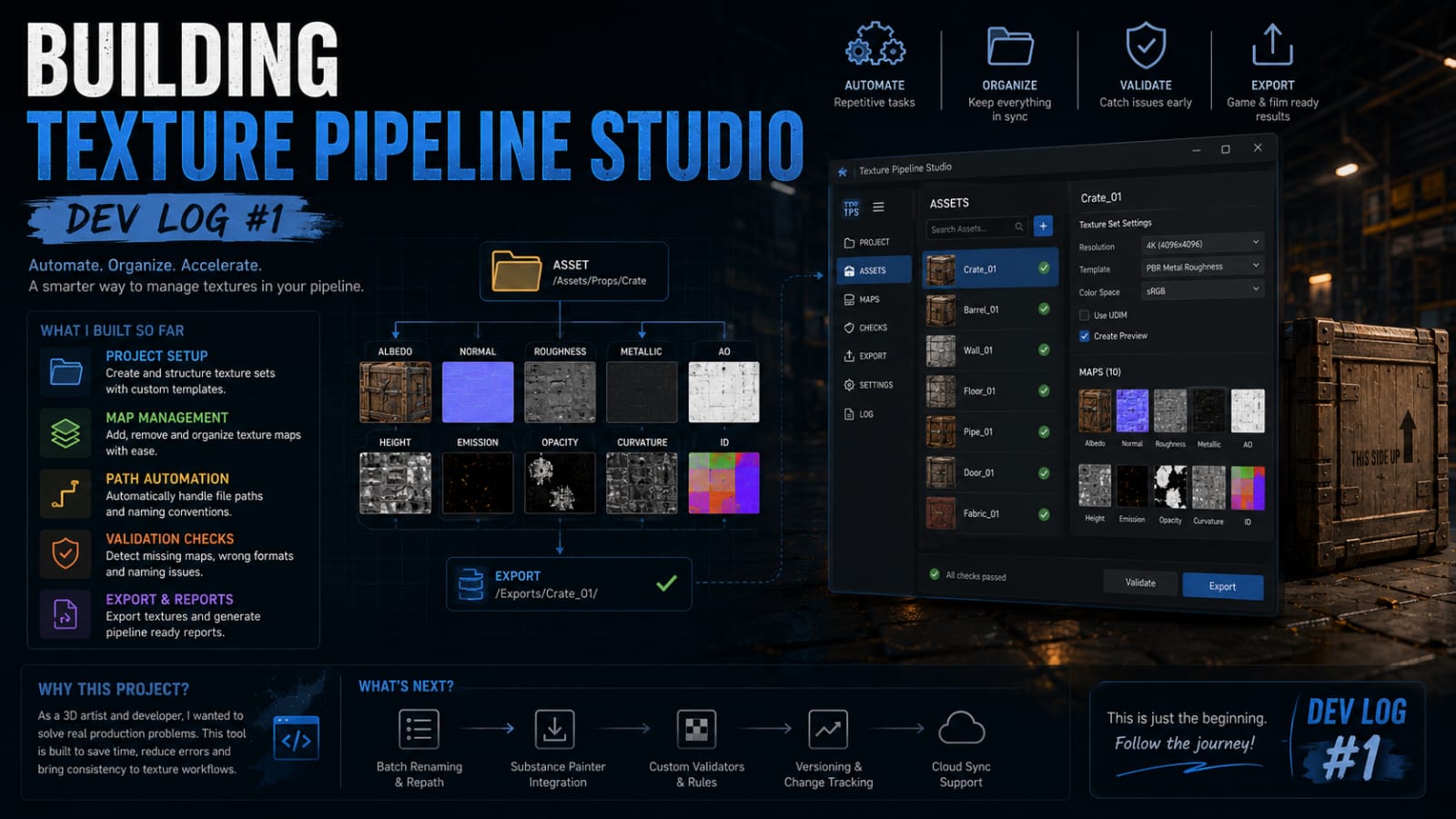
This is the first in a series of development logs documenting the creation of Texture Pipeline Studio, a Blender add-on designed to automate texture set management for film and game production pipelines. If you’ve ever spent an afternoon renaming texture files, reassigning shader nodes, or chasing down missing UDIM tiles, this add-on was built for you.
The Problem
On every film project I’ve worked on, there’s a recurring headache: an artist delivers a beautiful hero asset, but the texture naming conventions don’t match the pipeline standard. Files are named character_diffuse.png when they should be chr_hero_a_diff_4k.exr. The shader network is built by hand instead of using the studio’s look-dev template. UDIM indices start at 1001 instead of 1000, or worse, they’re inconsistent across different texture sets.
These aren’t glamorous problems. No one writes blog posts about fixing file naming. But they consume enormous amounts of TD time on every single shot, and they introduce subtle bugs that cascade downstream — into lighting, into comp, into the final delivery.
Early Prototyping
I started prototyping Texture Pipeline Studio in early 2026, initially as a collection of Python scripts inside my personal .blender scripts folder. The first version was ugly but functional — a single panel operator that scanned the current blend file, detected all image textures, and offered a batch-rename dialog with regex support. It saved me maybe twenty minutes per asset, which doesn’t sound like much until you realize a film sequence might have 150 hero props.
The core architecture uses Blender’s bpy.types.UILayout system for the UI and a custom node group that wraps a Principled BSDF with additional utility sockets for things like utility maps, opacity controls, and UDIM-aware texture coordinate scaling. Every material template is stored as a JSON preset so studios can customize their own look-dev standards without touching Python.
Where It Stands Now
After three months of iteration, Texture Pipeline Studio is approaching its 0.9 release. The feature set now includes: batch texture import with automatic UV set detection, material template assignment from a configurable preset library, UDIM tile validation and repair, a texture audit panel that flags missing maps and naming mismatches, and a one-click export pipeline that packages textures into structured directories ready for delivery.
I’ve been testing it on a personal short film project — a sci-fi piece with approximately 40 environment assets and 12 character models. Without the add-on, texture setup for the entire film would have taken roughly a week of dedicated TD work. With it, I completed the same pipeline setup in under two days. That’s not just time savings; it’s sanity preservation.
What’s Next
The immediate roadmap focuses on three areas: Substance 3D integration for direct texture import from .spp files, USD export support with correct material binding, and a companion Blender Preferences panel for studio-wide pipeline configuration. I’m also exploring whether to implement a dependency graph handler that can auto-detect when textures have been updated externally and trigger shader recompilation.
I’ll be posting updates here as development progresses. If you’re a TD or technical artist working in Blender and want early access to test builds, reach out through the contact page. I’m especially interested in feedback from studio environments where the add-on would be deployed across a team.